Top Web Development Trends in 2026
Discover the top web development trends in 2026: AI-first coding, WebAssembly, passkeys, edge runtimes, low-code, and more—explained with data, tools, and examples.
2026 is a big turning point for web development. AI is now a core part of daily coding, WebAssembly is quietly powering heavy apps, security is moving to passkeys, and performance has become a serious ranking factor for Google. The web is not just “pages” anymore; it is a fast, intelligent, app-like environment.
This guide explains the most important web development trends in 2026 in a clear, practical way. The goal is simple: help developers, founders, and decision-makers understand what really matters, with updated stats, examples, and testing tips so the concepts are easy to apply.
Quick Comparison Chart: Web Development Trends in 2026
1. AI‑First Web Development
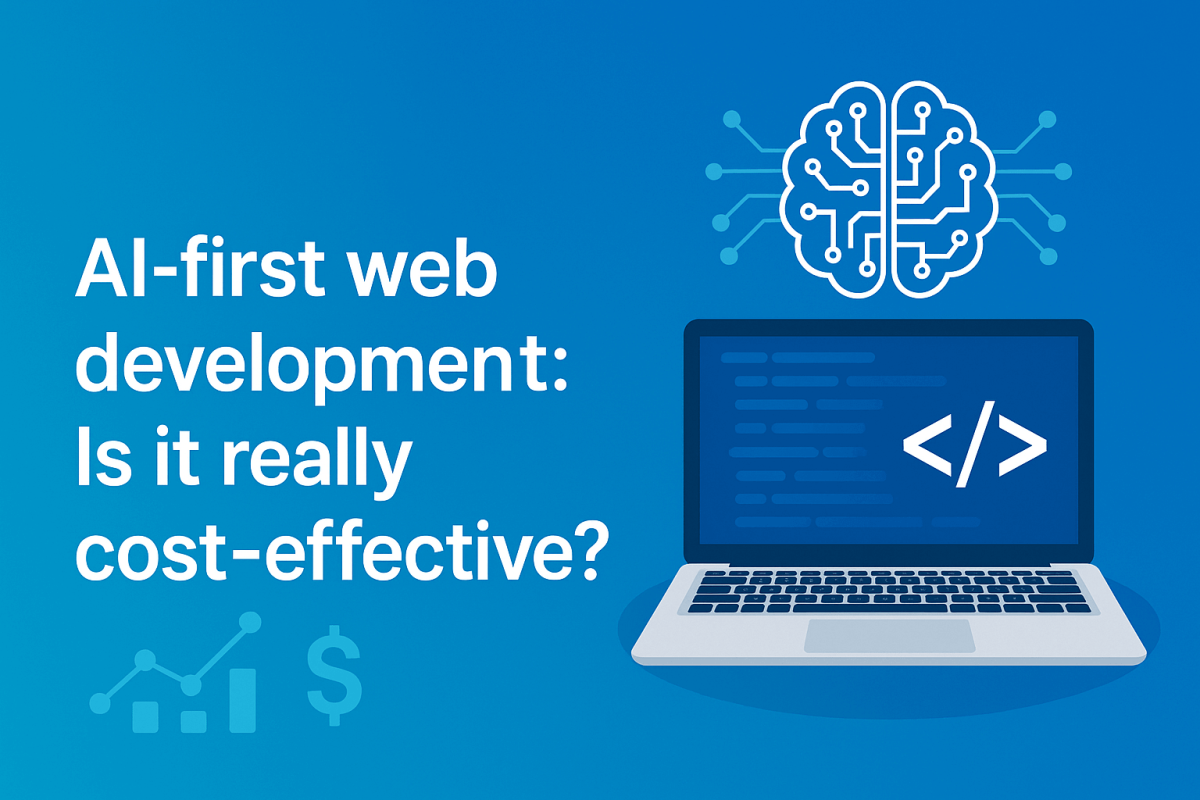
What “AI‑first” means in 2026
AI is no longer just autocomplete. In 2026, AI tools can:
- Scaffold a full‑stack app (front‑end, backend, database, auth) from a prompt
- Generate tests, fix bugs, and explain complex legacy code
- Spin up UI variations, translate content, and optimize copy
Reports from 2025 already showed that AI tools can triple developer productivity, moving developers from “writing every line” to designing systems and reviewing AI output.
Popular AI tools for web dev include GitHub Copilot, ChatGPT, Claude, Perplexity, v0 by Vercel, Lovable, and many niche tools like Uizard, Windsurf, Void Editor, and Theia IDE.
Quick comparison: Popular AI tools for web development (2026)
*Pricing changes often; always confirm on official sites.
How to test AI‑generated code (practical workflow)
To safely use AI in production, treat AI as a junior developer that always needs review:
- Establish a test baseline
- Set up unit tests (Jest/Vitest), integration tests (Playwright/Cypress), and API tests.
- Add code coverage tools so it’s clear where AI code is under‑tested.
- Use AI to generate tests, not just features
- Prompt: “Write Jest tests for this React component focusing on edge cases and error states.”
- Prompt: “Generate Playwright tests to verify login, passkey login, and logout flows.”
- Add CI gates
- Every PR (human or AI‑written) must pass tests, linting, and type checks.
- Optionally, add AI‑assisted static analysis to catch potential bugs.
- Benchmark productivity
- Measure time to deliver features with vs without AI.
- Track defect rates in QA to ensure speed does not lower quality.
Why this trend is different:
Earlier tools only suggested single lines. 2026 tools like Bolt.new and v0 can control entire projects, create file structures, install dependencies, and deploy to the edge automatically. The USP of AI‑first development is not just speed, but changing the role of developers from “manual coders” to “system designers + reviewers.”
2. Meta‑Frameworks: Next.js, Nuxt, Remix, SvelteKit, Astro
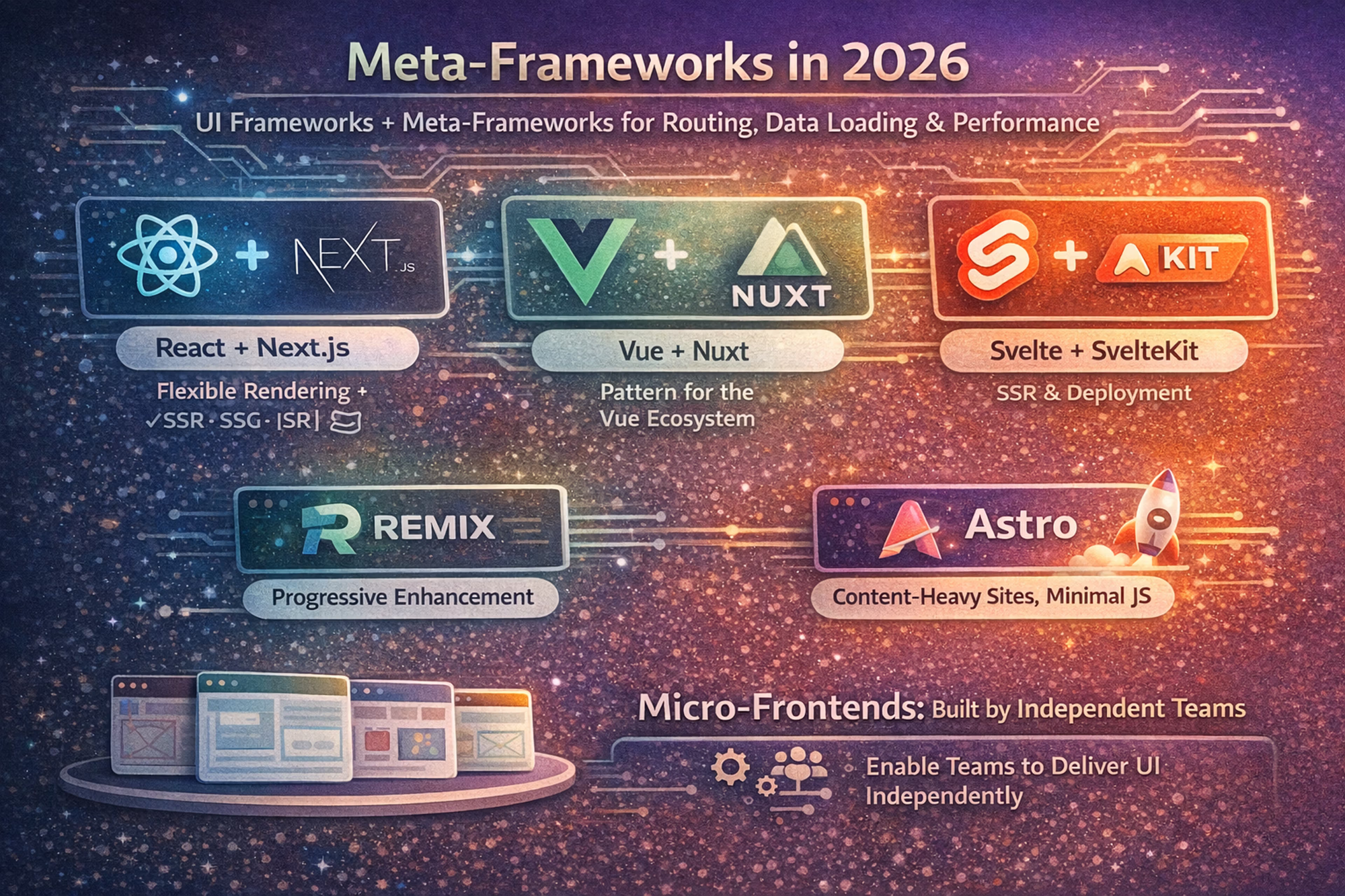
Why meta‑frameworks dominate in 2026
Meta‑frameworks wrap core libraries like React, Gatsby, Next, Vue, or Svelte and give you:
- File‑based routing
- Server‑side rendering (SSR), static generation (SSG), streaming
- Built‑in data loading, caching, and server actions
- Production‑ready build pipelines without heavy configuration
By 2026, the era of manually configuring Webpack, routers, and bundlers for every project is mostly over. LogRocket predicts that meta‑frameworks are the new default entry point for professional web apps.
Quick comparison: popular meta‑frameworks
| Framework | Core Stack | USP | Great For |
|---|---|---|---|
| Next.js | React + Vercel ecosystem | Massive ecosystem, React Server Components, edge‑ready | SaaS, marketing + app hybrids |
| Nuxt 3 | Vue | Strong DX, SSR by default, Nitro server engine | Vue shops, content‑heavy sites |
| Remix | React | “Web fundamentals first”, nested routing, great data loading | Apps with complex routing |
| SvelteKit | Svelte | Tiny bundles, reactivity without heavy runtime | Performance‑sensitive UIs |
| Astro | Framework‑agnostic | Islands architecture, ships less JS | Content sites, blogs, docs |
Testing & performance with meta‑frameworks
- Component tests: Use Playwright component testing or Cypress component tests.
- Route & data tests:
- Unit test loaders/actions (Remix, Angular, Next.js server actions).
- Integration tests for full routes, including edge/server behavior.
- Performance benchmarks:
- Lighthouse and WebPageTest for TTFB, LCP, INP.
- Compare SSR vs static vs edge deployments.
USP vs traditional SPA setups:
Instead of stitching together React + React Router + Vite/Webpack + custom SSR, meta‑frameworks provide batteries included with opinionated patterns that scale. This means fewer decisions, more consistency, and better defaults for SEO and performance.
3. Edge Runtimes & Serverless for Global Performance
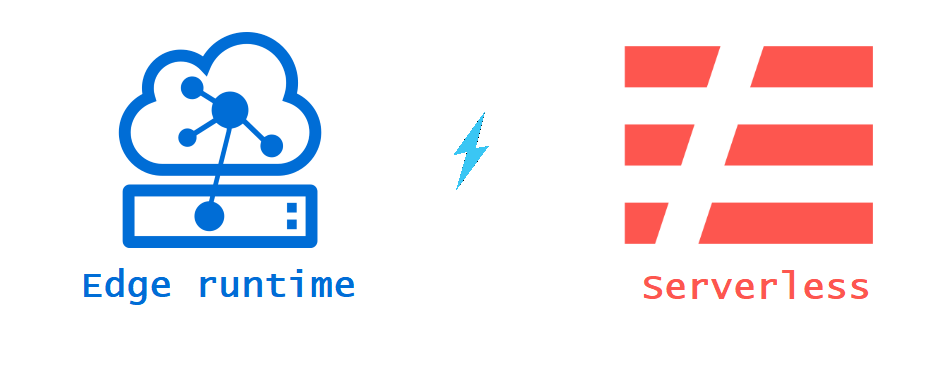
What’s happening at the edge
Edge runtimes run JavaScript, TypeScript, or Wasm on servers geographically close to users (Cloudflare Workers, Vercel Edge Functions, Deno Deploy). This reduces latency and gives better performance, especially for global audiences.
LogRocket notes that in 2026, edge runtimes align perfectly with modern features such as server functions, streaming responses, partial rendering, and AI‑generated MVPs deployed in minutes by tools like v0 and Lovable.
Example use cases
- Personalizing content (language, currency, recommendations) per region
- Real‑time dashboards and collaborative editors
- Low‑latency APIs for AI chat and streaming
How to test edge applications
- Latency and region testing
- Use tools like k6, Locust, or SaaS load testers to hit your app from multiple geographic regions.
- Monitor p95 and p99 latency; edge should significantly reduce these for distant users.
- Cold start benchmarks
- Measure time to first request after deployment.
- Compare traditional serverless (e.g., AWS Lambda) vs edge workers.
- Failure and routing tests
- Simulate region failures and ensure traffic is re‑routed correctly.
- Test caching logic to avoid stale critical data.
USP vs traditional hosting:
Edge runtimes provide sub‑second responses worldwide without complex multi‑region infrastructure planning. Combined with AI tools that can deploy directly to edge platforms, this makes it realistic for small teams to deliver “big company” performance.
4. WebAssembly (Wasm) & the Component Model
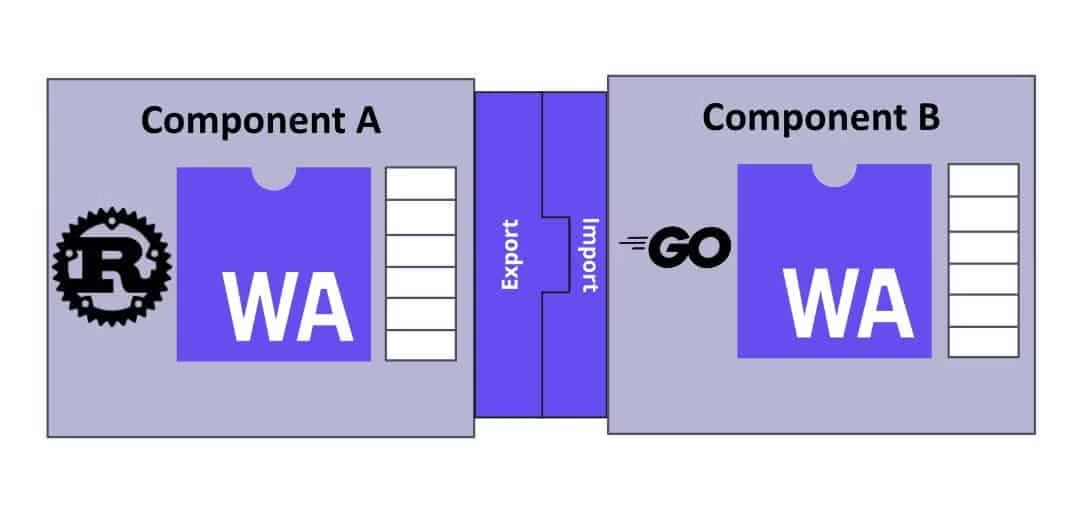
Where WebAssembly stands in 2026
WebAssembly lets you run languages like Rust, C++, and C# at near‑native speed in the browser and other environments.
- Adoption reached about 4.5% of Chrome‑visited websites in 2025, with projections to hit 50% by 2030.
- Fresh data from Google’s Chrome Platform Status shows Wasm usage growing to around 5.5% of sites by late 2025, a steady increase.
- Industry surveys show 41% of developers using Wasm in production, with another 28% planning or piloting it.
Real‑world apps like Figma saw a 3x performance gain and 20x faster parsing after moving heavy parts to WebAssembly.
What’s new: Component Model & WASI
The Component Model and WASI 0.3 (WebAssembly System Interface) make it easier to:
- Combine multiple languages in the same project
- Run Wasm outside the browser (serverless, edge, IoT)
- Build FaaS platforms using Wasm instead of containers (e.g., American Express’ internal FaaS platform)
Benchmarks & differences vs JavaScript
- Performance:
- Great for CPU‑heavy tasks: image/video editing, complex graphics, simulations.
- App cold starts can still be 500 ms–5 s for very large modules but often <10 ms for simpler ones, better than many container‑based functions.
- Limitations:
- Cannot directly access the DOM; needs a JavaScript bridge.
- Ecosystem smaller than JS, and debugging is harder.
Testing a WebAssembly module
- Unit tests at language level
- Use Rust/C++ test frameworks before compiling to Wasm.
- Integration tests in the browser
- Use Playwright/Cypress to ensure Wasm functions behave correctly in UI flows.
- Performance benchmarks
- Run benchmarks comparing JS vs Wasm implementations.
- Track CPU usage, memory, and response times.
USP vs pure JavaScript:
Wasm is not a replacement for JS, but a performance coprocessor. It shines when a small part of the app is computationally heavy and needs near‑native speed, without rewriting the whole frontend stack.
5. Performance & Core Web Vitals
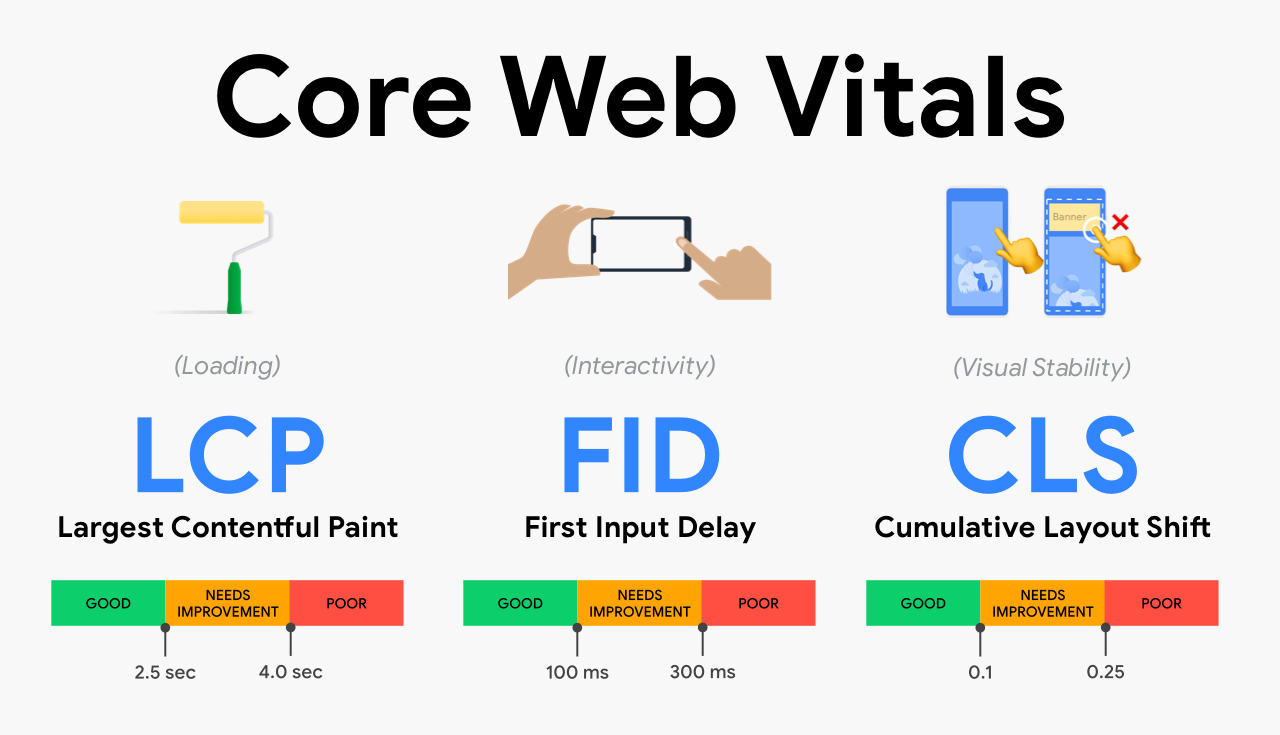
Core Web Vitals in 2025–2026
Google’s Core Web Vitals measure real‑world user experience. In 2026, the primary metrics and recommended thresholds are:
- LCP (Largest Contentful Paint): loading — ≤ 2.5 seconds
- INP (Interaction to Next Paint): interactivity — ≤ 200 ms (replaced FID in 2024)
- CLS (Cumulative Layout Shift): visual stability — ≤ 0.1
However, reality is harsh:
- Only 46.7% of desktop sites and ~40% of mobile sites pass all three vitals.
- Average LCP is still around 2.5 seconds, with mobile sites often struggling more.
This means performance is a real competitive moat. If a site hits all thresholds, it already outperforms most of the web.
Testing tools & benchmarks
- Lab tools: Lighthouse (in Chrome DevTools), WebPageTest, PageSpeed Insights.
- Field data (RUM): Chrome User Experience Report (CrUX), analytics tools that track INP, LCP, CLS per user.
- Specialized Core Web Vitals reports: Multiple 2025 studies provide updated benchmarks and show that INP is now the hardest metric to pass, especially on mobile due to heavy JavaScript.
Practical optimization checklist
- Serve images in WebP/AVIF formats and lazy‑load below‑the‑fold images.
- Use CDN + edge caching to reduce TTFB.
- Split JavaScript bundles and remove unused libraries.
- Use modern frameworks’ streaming and partial hydration features.
- Avoid layout shifts by setting width/height for images and reserving ad space.
USP in 2026:
Most competitors still don’t pass all Core Web Vitals. A site that consistently hits green on LCP, INP, and CLS will often score higher on SEO, user satisfaction, and conversions than a “prettier but slower” alternative.
6. Passwordless Security: Passkeys & WebAuthn
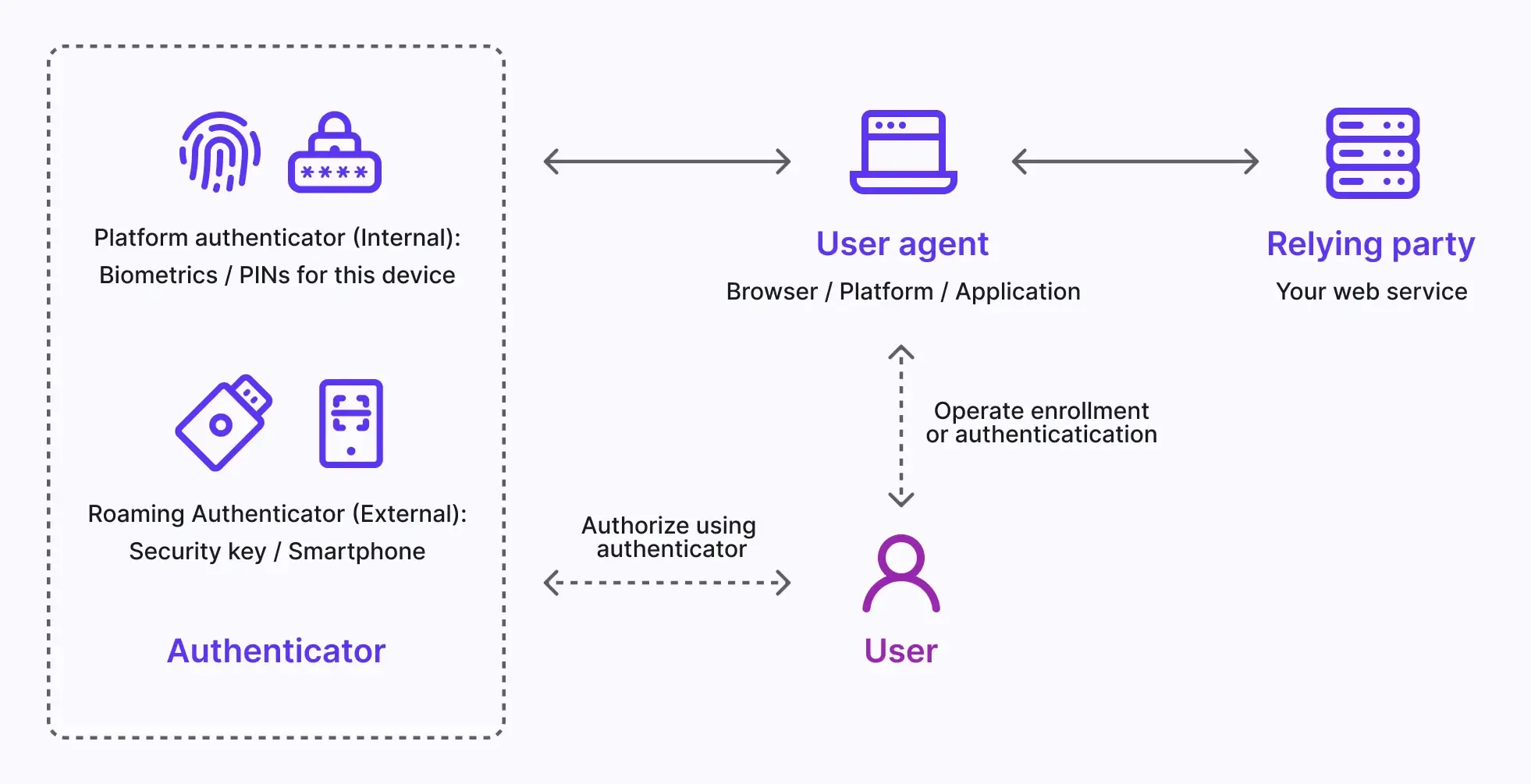
Passkeys go mainstream
Passkeys use public‑key cryptography and device biometrics (fingerprint, Face ID, etc.) via WebAuthn to replace passwords.
Key 2025–2026 data points:
- Google made passkeys the default login option for personal Google Accounts in 2023, leading to a 352% increase in passkey authentications in one year.
- Roblox saw an 856% surge in passkey usage.
- Microsoft made passkeys the default sign‑in method for new accounts in 2025, causing a 120% growth in passkey logins.
- Reports in early 2026 describe passkeys as moving from “promising” to the clear industry standard for simple and secure authentication.
Platforms like HubSpot report 4x faster login and 25% better login success rates with passkeys vs passwords + 2FA.
Developer updates you should know
New WebAuthn features like getClientCapabilities() allow sites to detect passkey support and tailor the login UI per device/browser. This makes it easier to offer the best possible experience where supported.
Testing passkey flows
- Test across browsers (Chrome, Edge, Safari, Firefox) and OSes (Windows, macOS, Android, iOS).
- Verify:
- Registration of passkey
- Login with passkey only
- Migration from password → passkey
- Fallback flows where passkeys are not supported
USP vs passwords/OTP:
- Security: Resistant to phishing and credential stuffing.
- UX: Faster, fewer login failures, no password resets.
- Compliance: Helps with stronger authentication requirements without annoying users.
7. Low‑Code / No‑Code & AI Site Builders
Market size and momentum
Low‑code/no‑code (LCNC) platforms are no longer just toy tools:
- Gartner expects low‑code platforms to power 65% of all app development activity by 2025.
- The global LCNC market is projected to reach USD 187 billion by 2030, growing from about USD 12 billion in 2020.
- Another market report estimates the low‑code development platform market at USD 50.31 billion in 2025, expected to hit USD 157.66 billion by 2029 (33% CAGR).
Asia‑Pacific, including India, is one of the fastest‑growing regions.
Examples of tools & USPs
- Webflow / Framer: Visual design‑first websites with clean underlying code.
- Bubble: Full web apps with workflows, databases, and APIs.
- Wix ADI / Squarespace / Appy Pie: AI‑assisted site creation for small businesses.
- Lovable: AI‑first builder for full‑stack apps, editable by developers afterward.
- Uizard: Sketch‑to‑prototype for quick UX experiments.
The unique strength of 2026 low‑code tools: deep AI integration. They can generate entire layouts, flows, and even content based on simple prompts, then let humans tweak.
How to test LCNC apps
- Use the platform’s built‑in testing where available.
- Add external monitoring (Pingdom, UptimeRobot, or equivalent) to track uptime and performance.
- Security tests:
- Review access rules and authentication flows carefully.
- Perform manual checks for broken access control and insecure direct object references (IDOR).
Where LCNC wins over traditional dev:
- Internal tools, dashboards, MVPs, proof‑of‑concepts
- When speed and budget matter more than full control over the stack
- Letting non‑developers (operations, marketing, finance) build simple tools safely under IT governance
8. Modern CSS, Design Systems, and the “TanStack‑ification” of Frontends
The styling shift
For years, teams depended heavily on big utility frameworks (like Tailwind) or monolithic component libraries. 2026 is seeing:
- More native CSS:
:has(), container queries,@layer,@property, CSS nesting. - Stronger design systems with tokens, not just component libraries.
- Lighter utility layers on top of standards instead of fighting the platform.
LogRocket describes this as a move where utilities become helpers around native CSS, not the entire styling strategy.
Practical benefits
- Smaller bundles → better Core Web Vitals.
- More consistency across products (via tokens and design systems).
- Easier long‑term maintenance as CSS capabilities keep improving.
Testing design systems
- Visual regression tests with tools like Percy, Chromatic, or Storybook snapshots.
- Accessibility tests (axe, Lighthouse accessibility audits).
- Theming tests (dark mode, high‑contrast themes).
USP vs ad‑hoc CSS/utility soup:
Systematic CSS and design systems scale across teams and projects. For serious products, they reduce design debt and make refactors less painful, while still allowing fast iteration.
9. Real‑Time, Streaming, and Multi‑Channel Experiences
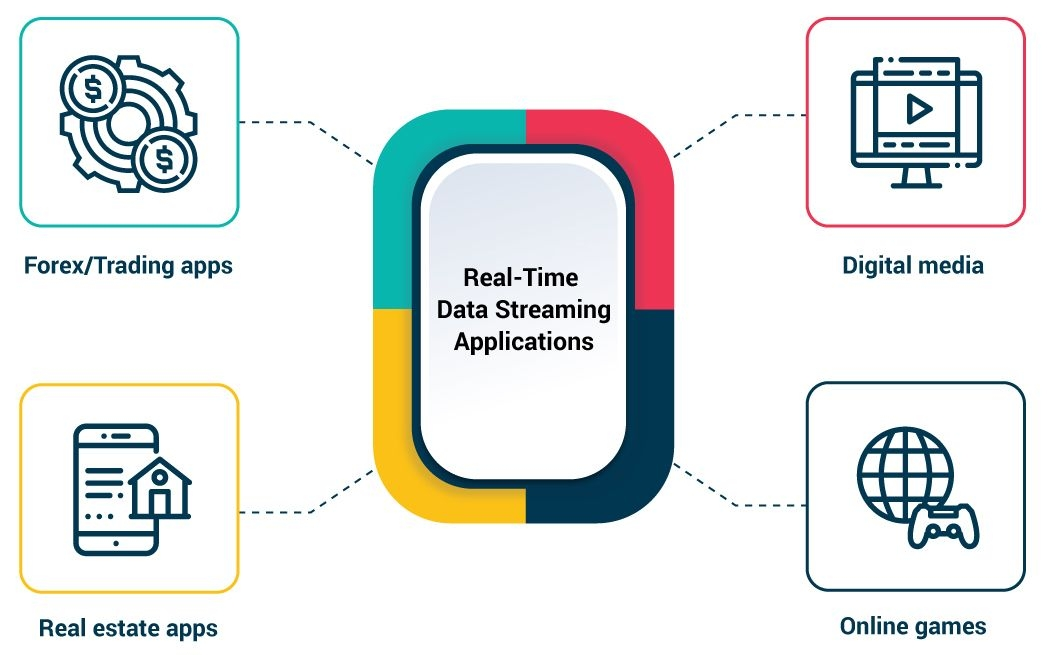
From “page loads” to “living apps”
Modern apps are increasingly:
- Real‑time: chats, dashboards, multiplayer editors
- Streaming: live events, AI responses, partial responses from server
- Multi‑channel: web, mobile, embedded surfaces using the same backend
Edge runtimes + modern frameworks (Next.js, Remix, etc.) now support streaming responses and partial rendering as first‑class features, making these patterns much easier to build.
Technology stack examples
- WebSockets for bidirectional communication
- Server‑Sent Events (SSE) for notifications and AI streaming text
- WebRTC for audio/video and peer‑to‑peer
- HTTP/3 and WebTransport for lower‑latency delivery
Testing real‑time features
- Simulate multiple concurrent users and validate consistency (e.g., two users editing the same document).
- Network throttling tests (slow 3G, high latency, packet loss).
- Ensure reconnection logic works after connection drops.
USP vs old request–response apps:
Real‑time and streaming UX feel alive. For analytics tools, collaboration platforms, or AI features, this kind of experience is no longer optional if you want to match the best‑in‑class products.
10. Sustainable & Ethical Web Development

Why sustainability matters technologically
Fast, efficient websites are not only good for users; they are also:
- Cheaper to host (less bandwidth, fewer compute cycles)
- Lower in carbon footprint
- Better aligned with regulatory pressure and ESG reporting
Improvements in Core Web Vitals often overlap with sustainability best practices: smaller bundles, fewer third‑party trackers, efficient caching, and optimized images.
Testing & measuring
- Measure total page weight and requests.
- Use tools that estimate CO₂ emissions per page load.
- Track performance and CPU usage on low‑end mobile devices.
USP in 2026:
Sustainability is becoming a differentiator in RFPs and enterprise deals. Companies that can prove efficient, privacy‑respecting, and green digital products have an edge in winning large clients and government contracts.
Benchmarks Snapshot for 2026
Here is a quick benchmark table summarizing some of the key stats from the trends above:
How These Trends Fit Together (Strategy for 2026)
Instead of treating each trend as an isolated checkbox, the most competitive teams in 2026 use them together:
- Build with a meta‑framework (Next.js, Nuxt, SvelteKit) to get routing, SSR, and performance defaults.
- Use AI‑first workflows to scaffold features, generate tests, and speed up maintenance.
- Deploy to edge runtimes where it makes sense (auth, personalization, AI APIs).
- Offload heavy logic to WebAssembly if your app has CPU‑intensive parts.
- Optimize Core Web Vitals and track them as key product metrics, not just SEO extras.
- Adopt passkeys for smoother, safer login flows.
- Leverage low‑code for internal tools and quick MVPs to reduce backlog.
If a project starts today and wants to feel “modern” and competitive in 2026 and beyond, this combined approach will usually outperform older, monolithic or SPA‑only architectures.
FAQs
1. What is the biggest web development trend in 2026?
The most impactful trend is AI‑first development, where AI tools generate, refactor, and test large parts of applications, leaving humans to design architecture and review code.
2. Are traditional SPAs dead in 2026?
No, but they are less common for new large projects. Meta‑frameworks with SSR/SSG and streaming are now preferred because they provide better performance and SEO.
3. Do small teams really need WebAssembly?
Not always. WebAssembly is most useful for CPU‑heavy tasks (editing, simulations, analytics). For standard CRUD apps, a good JavaScript stack is usually enough.
4. Is it hard to implement passkeys on my website?
Implementation is more complex than passwords, but libraries and identity providers now offer ready‑made WebAuthn/passkey support, making it much easier than in previous years.
5. How can my site stay competitive in Google rankings in 2026?
Focus on Core Web Vitals (LCP, INP, CLS), high‑quality content, mobile experience, and security (HTTPS, passkeys). Sites that are fast, stable, and helpful to users still win.
Example 2026 Stack for a Modern SaaS App
To make this concrete, here is a sample stack that applies these trends:
- Frontend & routing: Next.js or SvelteKit (meta‑framework)
- Styling: Design system with CSS variables + minimal utility layer
- Backend: Edge functions (Vercel/Cloudflare) + regional serverless for heavier logic
- Auth: Passkeys via WebAuthn, with fallback passwords/SSO
- Performance: Aggressive image optimization, streaming SSR, Core Web Vitals monitoring
- AI:
- Code: GitHub Copilot + ChatGPT/Claude for code and tests
- Product: AI search, recommendations, or chat using an LLM API
- Internal tools: Low‑code platform (Retool, internal LCNC) hooked to the same API
- Testing:
- Unit tests (Jest/Vitest)
- E2E (Playwright/Cypress) across desktop and mobile
- Synthetic and RUM monitoring for performance and availability
This type of setup is realistic for a small team but delivers the speed, UX, and security of much larger organizations.