Running and Installing Mistral 3 8B Locally
Executive Summary
Running Mistral 3 8B locally empowers users with privacy, speed, and cost efficiency. As of late 2025, Mistral 3 8B stands out among small LLMs (Large Language Models) for performance, low hardware requirements, and competitive pricing, making it a compelling choice for developers, researchers, and businesses.
This expert guide covers in detail the installation process for all major OSs, best practices for running and testing, a comprehensive feature and competitor comparison, key use cases, and pricing. Special attention is given to unique selling points, advanced setup, and user experience, ensuring both newcomers and advanced users get everything needed in one place.
Quick Comparison Chart
A head-to-head look at the top small language models in 2025 demonstrates how Mistral 3 8B excels for local and edge deployments:
1. What is Mistral 3 8B?
Mistral 3 8B is an 8-billion-parameter dense transformer language model. It is part of the Mistral 3 family—3B, 8B, 14B—purpose-built for efficiency, speed, and deployment on edge devices, from laptops to commercial embedded platforms. It supports multilingual and code tasks, and includes architecture-level enhancements like ragged and sliding-window attention for longer context and reduced memory overhead, now supporting a context window of 128,000 tokens.
Key Features
- 8B Parameters, 36 layers, 32 heads (GQA), 4096 dimension, 128k context window
- Instruction-tuned, base, and reasoning variants
- Supports Function Calling, code-gen, and multilingual benchmarks
- Released under Research License, easy commercial licensing option
- Efficient Edge & Local Inference, low VRAM, fast performance on CPUs/GPUs
2. How Does Mistral 3 8B Differ from Competitors?
| Model | Parameters | Context Window | Architecture | Strengths | Price per 1K In/Out tokens |
|---|---|---|---|---|---|
| Mistral 3 8B | 8B | 128k | Dense, ragged attention | Multilingual, efficient, edge | $0.10 |
| Meta Llama 3 8B | 8B | 8k–16k | Dense, reasoning opt. | Reasoning, multilingual | $0.18/$0.54 |
| Mixtral 8x7B | 56B (MoE) | 32k | Mixture of Experts | High accuracy, context | $0.54/$0.54 |
| Gemma 2 2B | 2B | 4k | Lightweight transformer | Low-resources, speed | $0.20/$0.88 |
What gives Mistral 3 8B the edge?
- Unmatched context window: 128k tokens allow processing entire long-form documents, beating Llama 3 8B and other competitors often limited to 8k or 32k.
- Performance per dollar: Priced at $0.10 per 1M tokens, it undercuts most comparable models for local deployment.
- Adapted for edge/embedded use: Energy efficiency and fast startup make it ideal for privacy-first workloads, including offline smart assistants, robotics, and IoT.
- Superior instruction-following and code capability: Benchmarks show it often surpasses Llama 3 8B in commonsense, code, and reasoning—key for real-world applications.
3. Hardware Requirements for Local Installation
Minimal Specs for Smooth Operation
- CPU: Minimum 8-core (Intel i7, Ryzen 7); recommended 12-core+
- RAM: Minimum 16GB, 32GB recommended; 64GB+ for heavy multitasking or larger context
- GPU: Minimum NVIDIA RTX 3060 (12GB VRAM), recommended 24GB VRAM (RTX 4090/A5000)
- Storage: 100GB SSD (25–30GB for model weights/files)
- OS: Ubuntu 20.04+/Windows 10+/macOS with Metal support; works with WSL2 for Windows
Pro tip: For CPU-only use, quantized versions allow operation with 12+ core CPUs and 64GB RAM (or swap). Lower RAM systems can use 4/5/8-bit quantized models to reduce memory usage at minor loss in generation quality.
4. Installation and Running: Step-by-Step Guide
4.1. Where to Download?
- Official Mistral repository
- Hugging Face:
mistralai/Ministral-8B-Instruct-2410or quantized versions by QuantFactory - Ollama (
ollama run mistral) offers one-liner deployment for Linux/Mac/WSL2.
4.2. Installation on Windows, Mac, Linux (with CLI or GUI)
Using Hugging Face CLI & Python:
- Ensure prerequisites installed: Python (3.10+), pip, venv, and latest CUDA/cuDNN drivers for GPU
- Install dependencies:shell
pip install transformers==4.42.0 torch accelerate huggingface_hub - Login to Hugging Face and Download Weights:python
from huggingface_hub importsnapshot_downloadsnapshot_download(repo_id="QuantFactory/Ministral-8B-Instruct-2410", local_dir="./mistral_8b") - Run the Model:python
from transformers import AutoModelForCausalLM,AutoTokenizermodel = AutoModelForCausalLM.from_pretrained("./mistral_8b")input_ids
tokenizer = AutoTokenizer.from_pretrained("./mistral_8b")
prompt = "Write a Python function to reverse a string."
input_ids = tokenizer(prompt, return_tensors="pt").output = model.generate(input_ids, max_new_tokens=128)
print(tokenizer.decode(output[0], skip_special_tokens=True))
Using Ollama (Linux/Mac/WSL2/Windows):
- Install Ollama (
ollama/ollama:latestvia Docker or native installer) - Download & Run:shellollama pull mistral:8b
ollama run mistral:8b
Using llamafile or llama.cpp for Quantized Local Inference:
- Download GGUF quantized weights
- Start with:shell./mixtral-8x7b-instruct-v0.1.Q5_K_M-server.llamafile
Windows One-Click GUI (e.g. using Ama or local runners):
- Download from official site (700MB installer)
- Launch, select model, run locally—all configuration handled via GUI
5. Testing Mistral 3 8B: Best Practices
Real-world Test Case Examples
- Commonsense Q&A: Outperforms previous small models in accuracy, maintaining concise and detailed answers
- Code Generation: Instruction-tuned variant reliably follows developer tasks, supports function calling
- Document Summarization: Handles book-length context (up to 128k tokens) with minimal hallucinations
- Edge Device Integration: Demonstrates <2s latency on mid-range consumer GPUs, even faster with quantized weights
Sample Prompt / Output
Prompt: "Summarize the key advances in Mistral 3 8B as compared to Llama 3 8B."
Output: "Mistral 3 8B offers a 128k token context window—significantly larger than Llama 3 8B's maximum 16k—efficient memory usage, and enhanced performance on edge tasks thanks to its sliding-window attention..."
Testing Checklist:
- Run synthetic benchmarks (MMLU, Winogrande, AGIEval, TriviaQA, GSM8K)
- Test code tasks and multilingual prompts
- Evaluate latency, resource consumption, and error rates in your deployment environment
6. Pricing (2025): Mistral 3 8B vs. Others
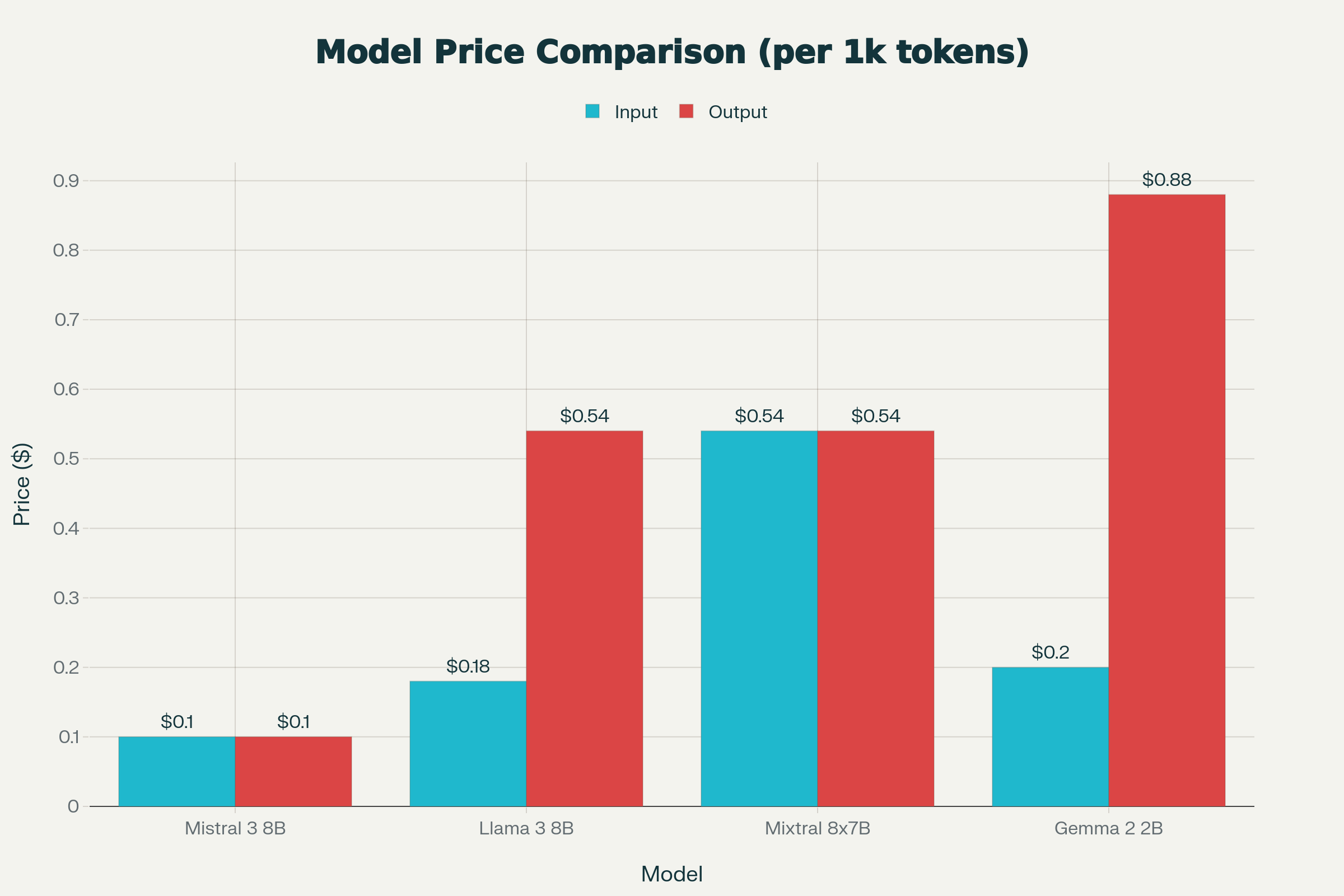
| Model | Price per 1K Input | Price per 1K Output |
|---|---|---|
| Mistral 3 8B | $0.10 | $0.10 |
| Llama 3 8B | $0.18 | $0.54 |
| Mixtral 8x7B | $0.54 | $0.54 |
| Gemma 2 2B | $0.20 | $0.88 |
Note: Mistral 3 8B is one of the most cost-effective options for local or edge deployment, allowing developers to run sophisticated LLMs at a fraction of traditional cloud-based LLM costs.
7. Unique Selling Points (USP) of Mistral 3 8B
- Massive Context—128K tokens: Enables rich multi-document comprehension, far beyond typical 8k or 32k windows found elsewhere
- Optimized for Edge and Local: Excels for offline, privacy-first, and low-memory workloads—ideal for embedded systems, personal assistants, and autonomous robotics
- Efficient and Affordable: Best-in-class price/performance ratio; open architecture, research/commercial-friendly license
- Instruction & Reasoning Tuning: Superior following of human instructions and complex reasoning, great for both chat and advanced analytic tasks
- Multilingual and Multi-domain: Outshines in a range of real-world tasks—code, conversation, Q&A, summarization
- Rapid Onboarding: One-line install with Ollama, Hugging Face, or llamafile—demo-ready in less than 15 minutes
8. Feature & Performance Benchmarks
| Benchmark | Mistral 8B Base | Mistral 7B | Llama 3.1 8B | Gemma 2 2B |
|---|---|---|---|---|
| MMLU | 65.0 | 62.5 | 64.7 | 52.4 |
| AGIEval | 48.3 | 42.5 | 44.4 | 33.8 |
| Winogrande | 75.3 | 74.2 | 74.6 | 68.7 |
| TriviaQA | 65.5 | 62.5 | 60.2 | 47.8 |
Higher values indicate better performance on these benchmarks for reasoning, knowledge, and code tasks—Mistral 3 8B consistently comes out on top or near the top compared to direct rivals.
9. Variants: Base vs. Instruct vs. Reasoning
- Base: Flexible, domain-adaptive, best for further fine-tuning and non-chat scenarios.
- Instruct: Enhanced for following instructions, excels in chat, Q&A, and developer code tasks.
- Reasoning: Tuned for complex logical and deductive tasks—great for science, math, and business analytics.
For most use cases, "Instruct" versions are recommended for immediate deployment and best "out of the box" experience. Use the "base" for further fine-tuning on specialized data.
10. Real-World Use Cases
- Offline and On-device Smart Assistants: Completely private, no data leaves the device
- Autonomous Robotics and Drones: Real-time perception, navigation, and decision-making
- Document Analytics & Compliance: Process large volumes locally, avoiding cloud costs and risks
- Coding Partners: Write, review, or debug code with function-calling support
- Edge IoT Devices: Industrial monitoring, automotive dashboards, privacy-protecting sensors
11. User Experience & Feedback
Community testers report:
- Exceptional instruction-following and reliability; nearly “hallucination-free” for local tasks
- Superior at maintaining longer, more coherent conversations and document analyses
- Performance is consistently snappy on consumer GPUs (RTX 3060 and up); quantized models run with manageable delays on lower-end hardware
- Clear, honest fallback responses—admitting knowledge limitations, avoiding made-up content
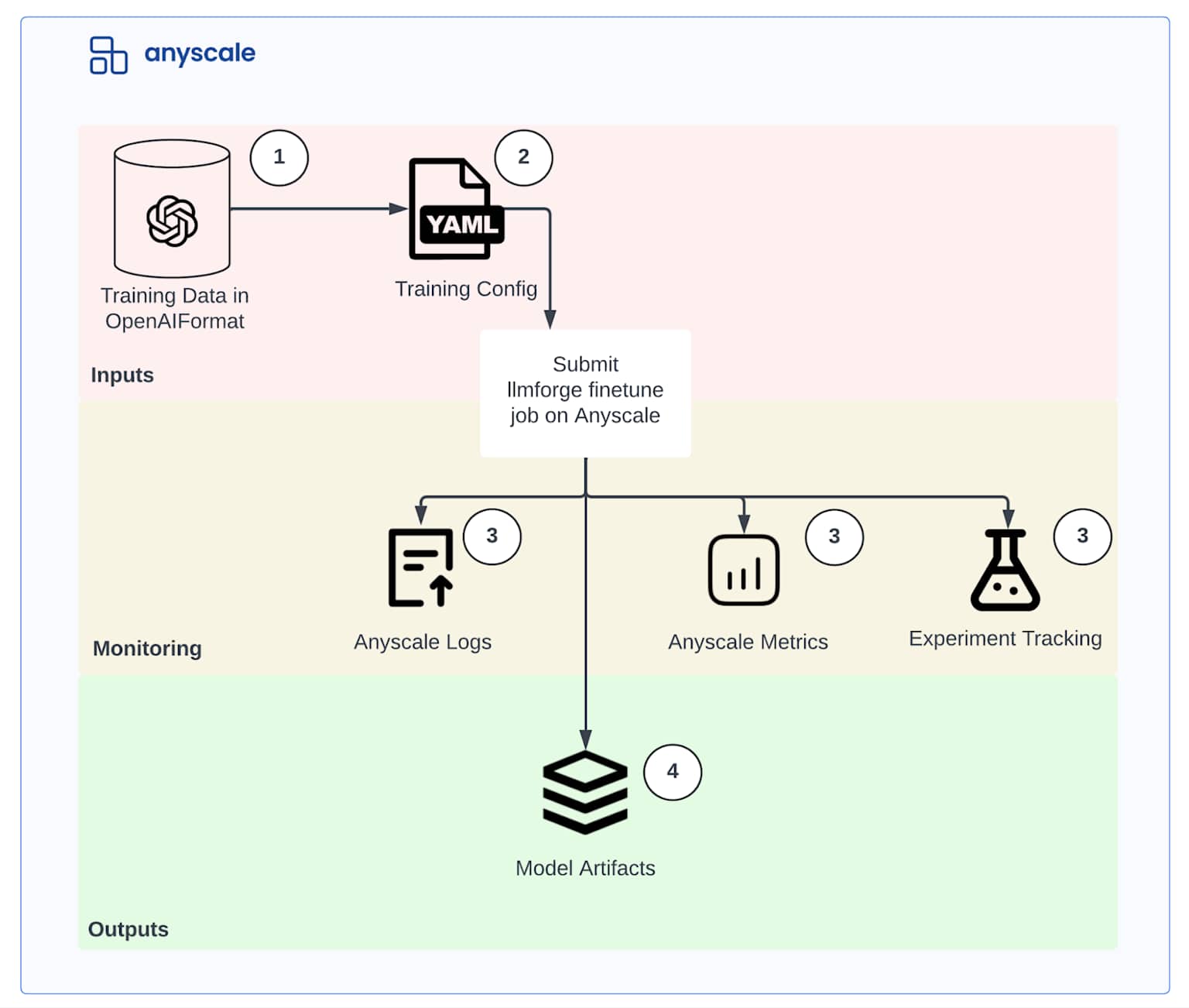
Install Workflow Diagram & Hardware Reference
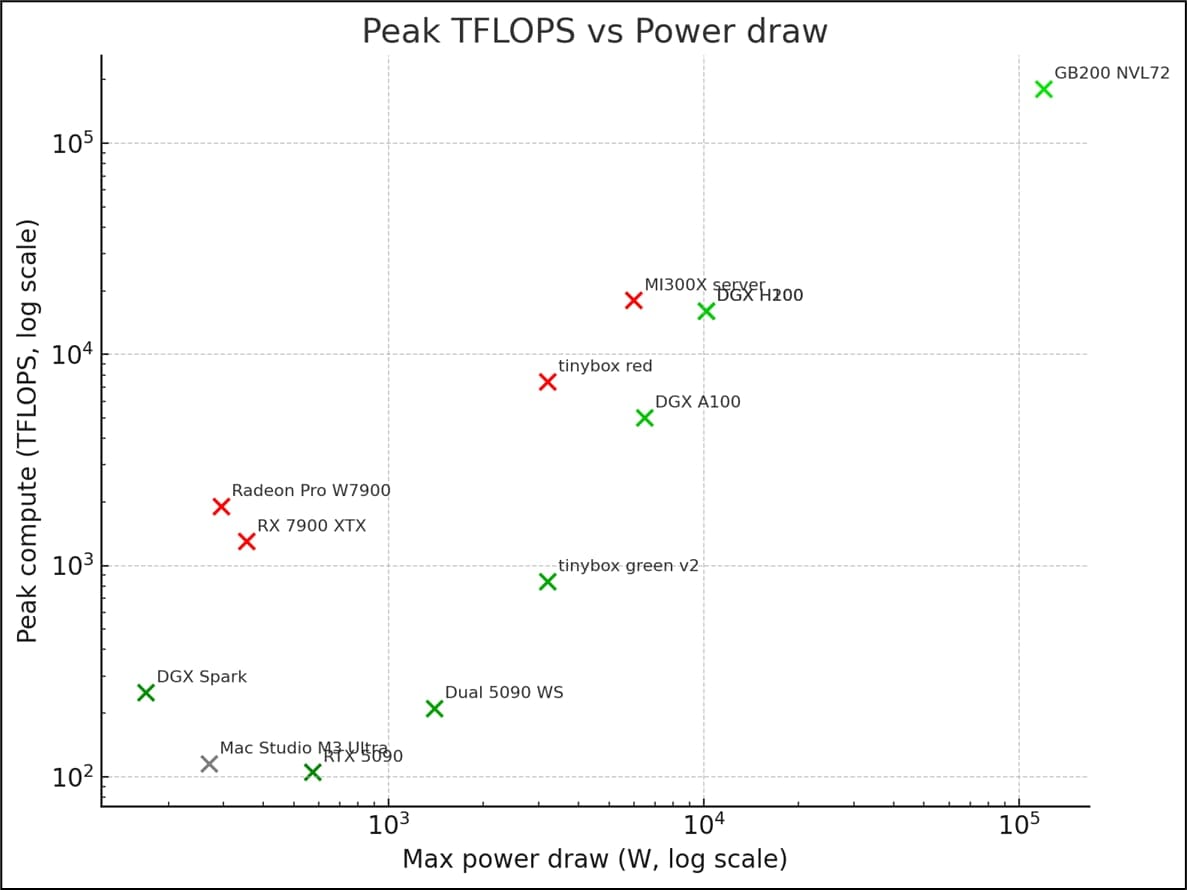
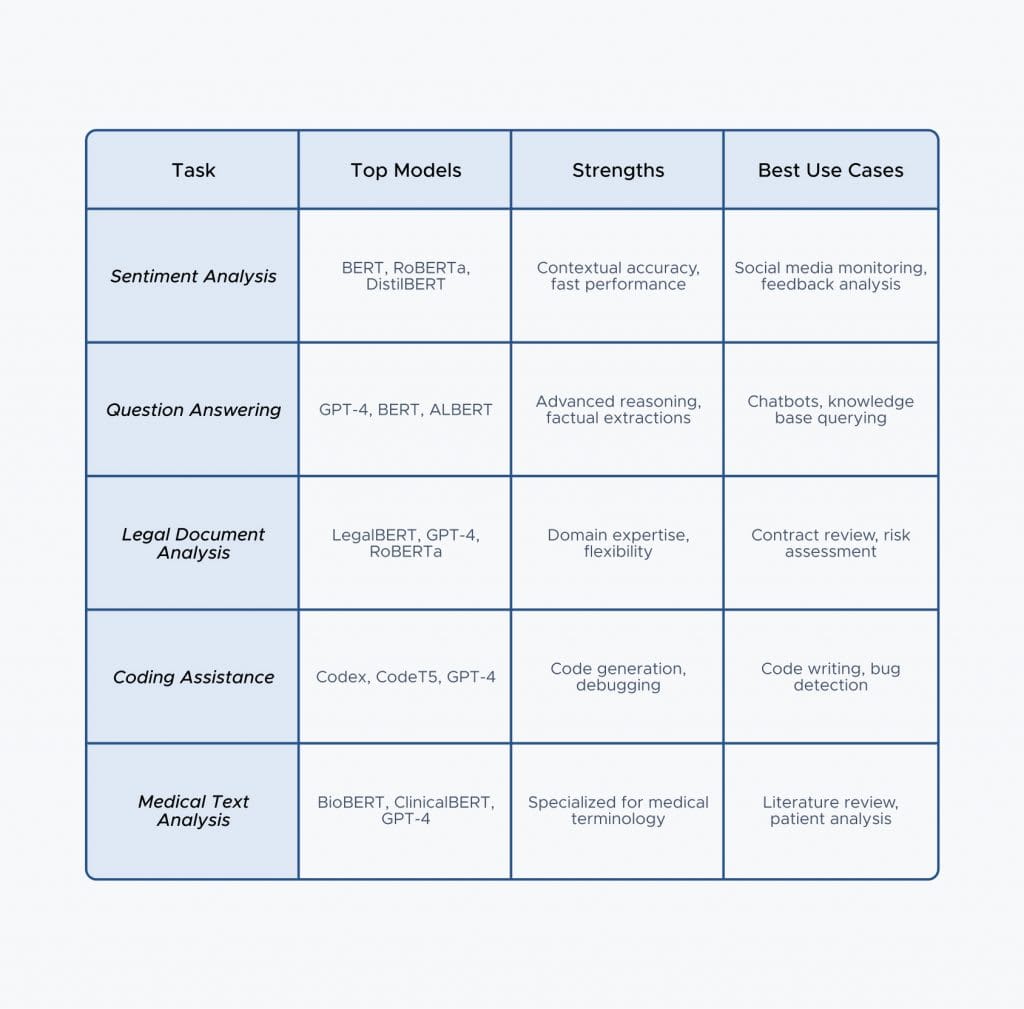
A step-by-step visual guide and hardware spec illustration clarify the setup and help you decide the minimum vs. recommended system for optimal performance:
FAQs (Best Practices & Advanced Tips)
Q: Can I run Mistral 3 8B with only 8GB RAM and no GPU?
A: Yes, using Q4 or Q5 quantized files, with patience; best experience with at least 16GB RAM.
Q: GUI or terminal only?
A: Both—GUIs available on Windows and web-based runners. CLI for fast and scriptable operation.
Q: Do I need Internet?
A: Only for the initial model download (25–30GB for full weights). Fully offline once installed.
Final Takeaway: Why Choose Mistral 3 8B?
Mistral 3 8B is the current benchmark for small, fast, and affordable LLMs. With its extended context handling, versatile deployment (desktop, server, or embedded), and unbeatable price-performance.
If you’re seeking scalable privacy, power, and savings in 2025, deploying Mistral 3 8B locally is likely the best investment for the next generation of AI-driven applications.
Refrences
- Top 10 Best AI Coding Tools 2026
- Top 10 Best Free AI Text Generator 2026
- Top 10 Best AI Text Detector Tools 2026
- FARA 7B Installation Guide 2025: Run AI Agents Locally
- Z-Image Turbo: Install Guide & FLUX vs DALL-E Comparison
- How to Install DeepSeek V3.2-Speciale: Complete Guide with Real Benchmarks vs GPT-5 & Claude