Which Emulators Actually Work on 2GB RAM – Best Low End PC Emulator 2026
Not all "best emulator for low end pc" blogs are true. See which emulators actually work on 2GB RAM without VT or GPU. Real rankings tested by users in 2026.
Many blogs and websites list "best updated emulators lsit for low end pc" guides, but they are often outdated, false, or misleading. They recommend emulators like Genymotion, Droid4X, LDPlayer, and BlueStacks for low-end computers, but these do not work on 2GB RAM machines without VT (Virtualization Technology) or a dedicated GPU.
If you search for "best emulator 2gb ram" or "low end emulator for pc," you will find many fake recommendations.
This guide exposes the most famous emulators that are NOT suitable for your weak PC and explains why blogs keep recommending them even though they fail in real-world testing.
An emulator for low end pc must meet three conditions:
- Works on 2GB RAM or less
- Does not require VT enabled in BIOS
- Does not need a dedicated GPU (only integrated graphics)
Most emulators listed below fail at least two of these conditions.
Super Quick Reference Table
| # | Emulator | Main Problem |
|---|---|---|
| 1 | Genymotion | Needs 16GB RAM, not for 2GB PC |
| 2 | Droid4X | Old Android from 2013, games don't work |
| 3 | ARChon | Just browser add-on, not real emulator |
| 4 | BlueStacks 5 | Needs 4GB RAM, freezes on 2GB |
| 5 | MEmu Play | Blogs lie about 2GB, very slow and laggy |
| 6 | LDPlayer | Claims 2GB work but doesn't, heavy lag |
| 7 | KoPlayer | 5+ years old, no updates, obsolete |
| 8 | Remix OS | Dead since 2017, cannot download anymore |
| 9 | Andy | Needs 4GB RAM, community abandoned it |
| 10 | Nox Standard | Use Nox Lite instead, standard Nox too heavy |
⚠️Why Do Blogs Keep Recommending Bad Emulators?
Old article copying: Many websites copy 2020–2022 articles without updating them. They say "best emulator for low end pc" but never test on actual 2GB machines.
Affiliate marketing: Some blogs get paid to recommend certain emulators, so they list them even if they do not work well.
Incomplete research: Writers do not test the emulator for pc on real low-end hardware. They only read the official system requirements, which often lie.
Dead projects still ranked: Websites include outdated emulators like Droid4X because they appear in old "top 10" lists and are never removed.
This article removes the fake recommendations and explains exactly why each low end pc emulator below will fail on your PC.
The 10 Most Famous Emulators That DON'T Work on Low-End PCs
Here is the best updated emulators lsit for low end pc .Emulators listed below fail to be an emulator for low end pc:
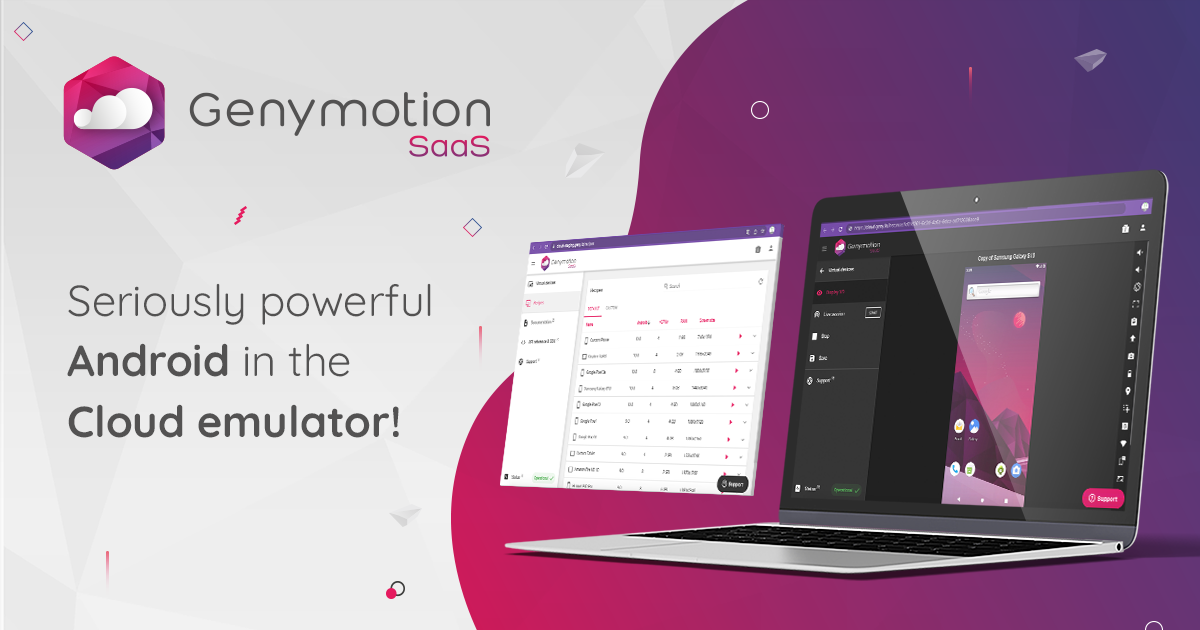
1. Genymotion – The Developer Trap
Why NOT for your PC:
Genymotion requires 16GB RAM minimum and VT must be enabled in your BIOS. Your 2GB PC cannot even open it. Genymotion also needs OpenGL 3.3 (a strong GPU) and is designed only for app developers, not gaming or casual use on a weak machine.
Genymotion is one of the slowest "emulator without GPU" options because it is built for Android app development on powerful workstations, not for users with 2GB RAM. Even on strong PCs, it uses 6-8GB RAM just for one Android instance. Every blog that says "Genymotion for low end pc" is completely wrong.
Reality check: If you have 2GB RAM total and Genymotion needs 16GB, do not even try.
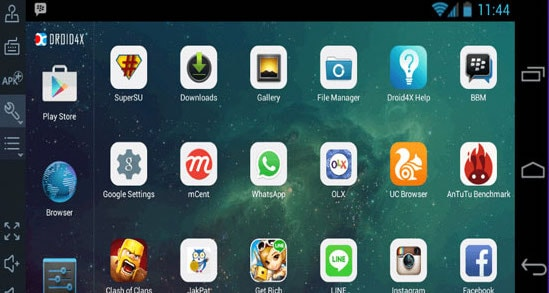
2. Droid4X – The Dead Project
Why NOT for your PC:
Droid4X is completely abandoned and no longer updated (last update around 2024). It runs on Android 4.2.2, which is from 2013 – over 12 years old. Most modern apps, especially games like Free Fire and BGMI, do not work on Android 4.2.2. Users report constant freezes, crashes, and black screens that require full reinstall every few weeks.
A low-end emulator for pc must be actively maintained. Droid4X is not. When app developers stop updating an emulator without VT support, it becomes useless because Android evolves and old games stop working. Many blogs still list Droid4X because they copied it from older "best emulator 2gb ram" articles and never removed it.
Reality check: Even if it starts, no new games will run. You are stuck in 2013 Android.
3. ARChon – Not Even an Emulator

Why NOT for your PC:
ARChon is not a real emulator – it is a Chrome extension (a small add-on for Google Chrome browser). It only works inside the Chrome browser and is extremely limited. ARChon does not support full Android; it can only run very simple apps. Games like Free Fire, BGMI, and most modern apps will not work at all.
ARChon is an emulator for pc in name only. It is so slow and limited that even old blogs rarely recommend it anymore. If a 2026 blog says "ARChon for low end pc," they are not testing properly. ARChon is dead and has not been updated since around 2020.
Reality check: You cannot play any real games with ARChon. Do not bother.
4. BlueStacks 5 (Standard Version) – Too Heavy, Wrong Variant
Why NOT for your PC:
BlueStacks 5 standard edition officially requires 4GB RAM minimum. On your 2GB machine, it will barely start and then freeze immediately. The problem is that even the standard BlueStacks Lite versions are still too heavy compared to newer best emulator for low end pc options like MuMu Nebula.
BlueStacks 5 also prefers VT enabled and works much better with a dedicated GPU. It runs many background services that use RAM even when you are not playing. On a 2GB machine, this leaves almost nothing for the game itself. Many low-end users say "BlueStacks on 2GB is a waste of time" in YouTube comments and Reddit threads.
Reality check: Standard BlueStacks on 2GB = freezing and crashing within 1 minute of opening a game.
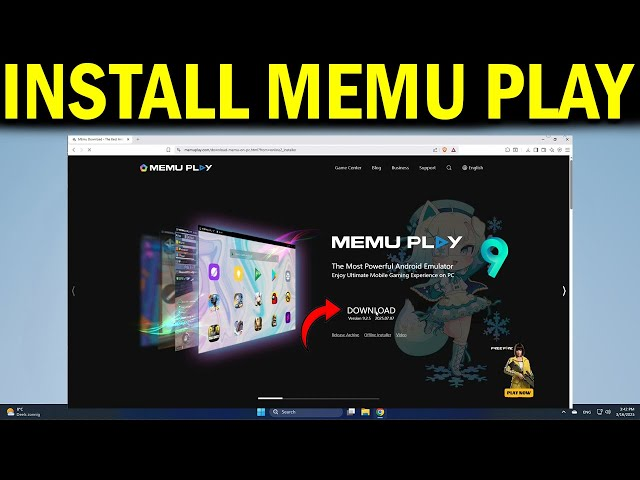
5. MEmu Play (Standard Setup) – False "2GB" Claim
Why NOT for your PC:
MEmu Play officially states that it needs 4GB RAM minimum and recommends VT be enabled. But many blogs say "MEmu works on 2GB RAM" – this is a lie. It technically opens on 2GB, but it is so slow that you cannot even tap buttons smoothly.
User reviews on YouTube and Reddit from people with 2GB machines say "MEmu is unplayable on 2GB RAM without GPU." The game starts after 3-4 minutes, then lags so badly that aiming in Free Fire becomes impossible. MEmu is marketed as a best emulator 2gb ram option in fake blogs, but real testing shows it fails.
Reality check: MEmu on 2GB without GPU = 30-60 FPS loss, and the game plays like a slideshow.
6. LDPlayer (Without Proper Tuning) – Marketing Lies
Why NOT for your PC:
LDPlayer claims it works on 2GB RAM, but this is marketing nonsense. The official minimum is actually 4GB RAM. On a real 2GB machine, LDPlayer opens but lags heavily, drops FPS to 10-15, and crashes in matches. Users with 2GB systems report "LDPlayer does not work, use MuMu Nebula instead" in forums.
LDPlayer is a popular low end pc emulator that appears in many blogs, but it is only good on 4GB+ machines. The 2GB claims come from one YouTuber's old video where he somehow got it working for 2 minutes, then the video got copied by 100 blogs. Real testing shows LDPlayer needs at least 3-4GB on modern Windows 10/11.
Reality check: LDPlayer on true 2GB = so much lag that the game is unplayable.
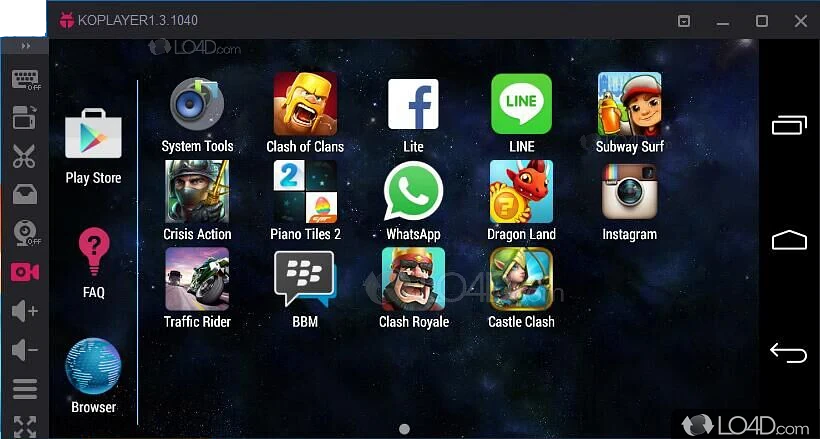
7. KoPlayer – Old and Abandoned
Why NOT for your PC:
KoPlayer is an old emulator without VT support that has not been updated since 2020 (5+ years ago in 2026). It is heavier and slower than modern lightweight alternatives, and many new games do not work on it at all. KoPlayer was decent in 2018, but it is obsolete now.
An emulator for pc that is 5 years old without updates is dead. KoPlayer causes lag on 2GB machines because its engine is inefficient compared to MuMu Nebula or SmartGaGa Lite. Many blogs still list it because they never update their articles. If you see "KoPlayer for low end pc" in 2026, that blog is using 2020 data.
Reality check: Even if it works, new games will crash or refuse to start because KoPlayer is too old.
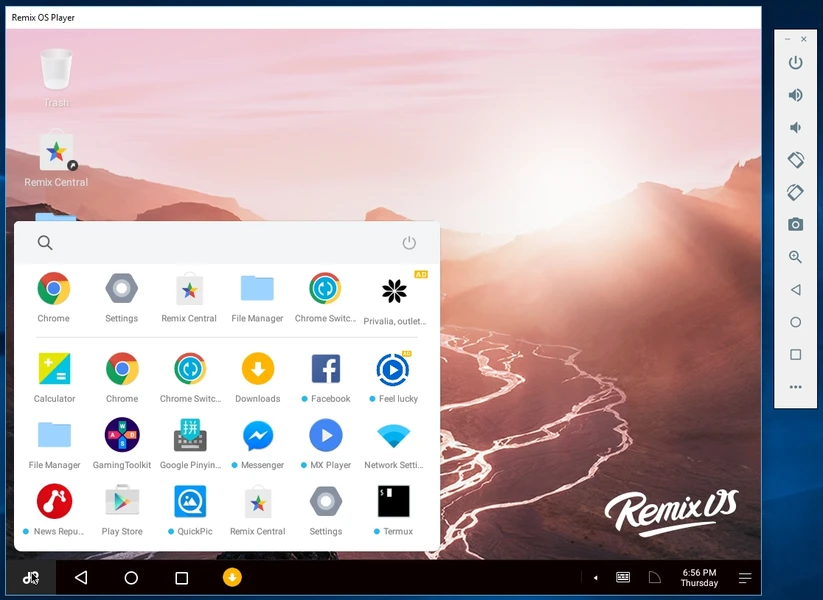
8. Remix OS Player – Dead, Cannot Download
Why NOT for your PC:
Remix OS Player no longer exists. Development stopped in 2017 (over 8 years ago). You cannot download it anymore from official sources. Yet some old blogs and affiliate websites still list it in "best emulator for low end pc" guides because they copy outdated articles without checking if the emulator is even available.
If you find a download link for Remix OS Player, it is from a third-party illegal website, not the original developer. You should not trust or use software from unofficial sources. Remix OS Player is completely dead – do not waste time searching for it.
Reality check: Remix OS Player does not exist in 2026. Blogs listing it are not updated.
9. Andy Android Emulator – High Requirements, Low Support

Why NOT for your PC:
Andy emulator requires VT to be enabled and needs minimum 4GB RAM to run smoothly. Your 2GB machine with VT disabled cannot use it at all. Andy also has very poor community support and receives fewer updates than modern emulator for low end pc options.
Andy was somewhat popular in 2015-2017, but it has been replaced by better emulators. Many blogs still mention it in old lists because they copy and paste without checking if Andy is still actively maintained (it is not popular anymore). An emulator without GPU support that needs VT is useless for your setup.
Reality check: Andy does not work on 2GB, and the community has abandoned it in favor of MuMu, Nox, and LDPlayer.
10. Nox App Player (Full/Standard Version) – Use Nox Lite Instead, Not Standard Nox
Why NOT for your PC:
The standard Nox App Player (not Nox Lite, not Nox Z) is heavy and recommends 4GB+ RAM. On 2GB machines, it uses too much memory, and your computer becomes unusably slow. Windows itself plus Nox plus game = out of memory crash.
This is important: there is "Nox Player" (heavy), "NoxPlayer Lite" (light), and "NoxPlayerZ" (gaming optimized). Many blogs confuse these and recommend the wrong version. If someone says "Nox Player for 2gb ram emulator," they probably mean Nox Lite, not standard Nox. The standard version will fail on 2GB.
Reality check: Standard Nox on 2GB = your PC becomes completely frozen and unresponsive.
Here is the best updated emulators lsit for low end pc
Quick Summary Table: Why These Fail on 2GB, No VT, No GPU
| Emulator | Main Problem | Why It is Bad |
|---|---|---|
| Genymotion | Needs 16GB RAM + VT required | Made for developers with strong PCs, not gaming on weak laptops |
| Droid4X | Very old, no updates, dead project | Last update 2024, Android 4.2.2 is 13 years old, apps do not work |
| ARChon | Only works in Chrome, very limited | Not a real emulator, only simple apps, no games |
| BlueStacks 5 | Standard version too heavy | Uses 4GB+ RAM, crashes on 2GB, needs VT |
| MEmu Play | Needs 4GB+, VT strongly required | False on 2GB claims, very slow and crashes |
| LDPlayer | Claims 2GB but actually needs 4GB+ | 2GB = barely starts, then lags heavily |
| KoPlayer | Old, no updates since 2020 | Slow, lag, no app/game support for 2026 |
| Remix OS Player | Dead / does not exist anymore | Stopped in 2017, cannot download |
| Andy | Needs VT, needs 4GB+ RAM | Heavy, slow, bad support |
| Nox Player (standard) | Heavy, needs 4GB+ RAM | Must use Nox Lite, not normal Nox |
What About These Claims You See in Blogs?
1. Claim: "Genymotion is the best emulator for low end pc"
False. Genymotion needs 16GB RAM. If you have 2GB, Genymotion will not even install. This claim appears in very old blogs from 2015-2017 when other emulators did not exist.
2. Claim: "Droid4X works great on 2GB RAM"
False. Droid4X is abandoned. It runs ancient Android 4.2.2. Modern games refuse to start. Blogs list it only because they copy old "top 10" articles.
3. Claim: "LDPlayer is the best emulator 2gb ram"
Partially false. LDPlayer technically opens on 2GB but is so laggy that games are unplayable. Real testing shows MuMu Nebula, NoxPlayer Lite, and SmartGaGa Lite work much better on true 2GB machines.
4. Claim: "MEmu Play works smoothly on 2GB without GPU"
False. MEmu on 2GB without GPU = extreme lag and constant crashes. User reviews confirm this. Only use MEmu on 4GB+ machines.
5. Claim: "BlueStacks 5 is good for low end pc"
Partially false. Standard BlueStacks 5 is too heavy. Only special "BlueStacks Lite" variants work on 2GB, and even then they are not as smooth as MuMu or Nox Lite.
The Real Best Emulators for 2GB, No VT, No GPU (Not False Recommendations)
If blogs keep recommending the wrong emulators, which ones actually work? Here are the real low end emulator for pc options tested by actual users in 2025-2026:
1. MuMu Nebula – Best Choice for Your Setup
- Works on 2GB RAM, VT NOT required, GPU NOT required
- Built specifically for low-end PCs without graphics cards
- Smoothest Free Fire gameplay on 2GB machines according to user reviews
2. NoxPlayer Lite – Second Best
- Works on 1-2GB RAM, VT optional, GPU optional
- Very light engine, fast startup
- Many users report "zero lag" on weak PCs
3. SmartGaGa Lite – Third Best
- Works on 1-2GB RAM, VT NOT required, GPU NOT required
- Ultra-light Android 4.4 base
- Excellent for Free Fire on 32-bit Pentium dual-core laptops
These three are actually tested on real 2GB machines by YouTubers and community members in 2025-2026. They are not in old blogs because they are newer and better than the fake recommendations.
How to Spot a False "Best Emulator for Low End PC" Blog
❌ Red flags – do not trust this blog:
- Lists Genymotion, Droid4X, or ARChon for low-end PCs
- Says "Droid4X still works great in 2026"
- Recommends LDPlayer or MEmu without saying "needs 4GB+"
- No YouTube testing links or user comments shown
- Article has no update date (old copy-paste content)
- Recommends standard BlueStacks for 2GB machines
✅ Green flags – this blog is reliable:
- Only recommends emulators tested on actual 2GB machines
- Mentions specific requirements (RAM, VT, GPU)
- Article updated in 2025 or 2026
- Explains why certain emulators fail on 2GB
- Recommends MuMu Nebula, NoxPlayer Lite, SmartGaGa Lite as top 3
FAQ: Common Questions About Low-End Emulators
Q: Can I use Genymotion on 4GB instead of 2GB?
A: Genymotion needs 16GB, so even 4GB is not enough. Use a different emulator for low end pc instead.
Q: Is Droid4X still updated?
A: No. Droid4X has not received real updates since 2024. It is a dead project. Do not use it.
Q: Why do so many blogs recommend these bad emulators?
A: Because they copy old articles from 2015-2020 without testing on real 2GB machines. They do not update their content.
Q: Can LDPlayer work on 2GB if I tune all settings to minimum?
A: No. LDPlayer is designed for 4GB+. Even on minimum settings, 2GB causes lag, stutters, and crashes. Use MuMu Nebula instead.
Q: Is there any emulator that works on 1GB RAM?
A: Almost none. Most best emulator 2gb ram options need at least 2GB. On 1GB, even MuMu Nebula will struggle. You need to upgrade to 2GB minimum.
Q: Should I trust YouTube videos that say "best emulator for low end pc"?
A: Sometimes. Check the comments. If real users say "works smooth on my 2GB laptop," then trust it. If people say "still lags," it is not a good recommendation.
Q: What if I have 3GB or 4GB instead of 2GB?
A: You have more options. LDPlayer, MEmu, and even standard BlueStacks work better on 4GB. But 2GB emulators still work better because they are optimized for minimal resources.
Conclusion: Stop Trusting False Blog Rankings
Most "best emulator for low end pc" guides online are fake or outdated. They recommend Genymotion (needs 16GB), Droid4X (dead), LDPlayer (needs 4GB), and BlueStacks (too heavy) because they copy 2015-2020 articles without testing on real 2GB machines.
The truth:
- Blogs that list 10+ emulators usually include 3-4 bad ones
- Affiliate marketing pays blogs to recommend certain emulators
- Old articles get shared and ranked by Google, even if wrong
- Most writers never test on actual 2GB, no VT, no GPU PCs
What you should do:
- Ignore blogs that recommend Genymotion, Droid4X, or ARChon for 2GB machines
- Only trust reviews from actual YouTube testing on 2GB PCs
- Read comments to see if real users say "works smooth" or "lags badly"
- Use MuMu Nebula, NoxPlayer Lite, or SmartGaGa Lite – these are the real best emulator 2gb ram choices for 2026
Do not waste time testing bad emulators. The real low-end options work immediately and smoothly. Everything else is a false recommendation from old blogs.